
Kotlin Multiplatform vector PDF library: identical cross-platform, selectable text, small files, Compose-style DSL, automatic pagination, SVG/VectorDrawable vector import, tables, images and progress reporting.
A pure-Kotlin Kotlin Multiplatform library that generates vector PDFs whose output is identical across devices, with selectable/searchable text, small files, automatic pagination, authored with a Compose-style DSL. Output does not depend on the device font-scale or the host UI lifecycle.
Coordinates: io.github.rikoappdev:compose-pdf · Targets: Android + iOS + JVM · License: Apache-2.0.
The published artifact bundles no font — you pass your own (see Fonts).
To be identical to the dot and vector/searchable at once, no per-platform text engine may
touch layout, and the PDF must contain real text operators with an embedded font (so it can't be
rasterized — and no public Kotlin Multiplatform PDF backend exists for vector output on iOS). So
all layout, text shaping, glyph positioning, TrueType subsetting and PDF serialization run in
shared commonMain integer math.
"Identical" = every glyph's (x,y) origin and the extracted Unicode match across platforms
(engineered to exact integer equality). Raw file bytes may differ (compression/float) — invisible
to users.
text, spacer, divider, row(verticalAlignment) { cell(weight) { } } (a cell(0f) shrinks to its content's width — pair it with a cell(1f) {} spacer to push a logo / info block to an edge; verticalAlignment centres a short cell against a taller one), column, box(padding, border, background), keyValue(label, value), image / photoGrid (JPEG /DCTDecode pass-through and PNG — decoded in pure Kotlin to a /FlateDecode image with an /SMask for transparency; PhotoFit.Cover / Contain / Smart — smart preserves aspect but crops extreme strips; align = HorizontalAlignment.Start left-aligns a contained logo in a wide cell; both take a PdfImageSource instead of bytes to keep photo-heavy documents bounded), table (weighted columns, repeating header, total rows, optional zebra striping).vector(bytes, …) imports both formats (auto-detected) into native, resolution-independent PDF vector paths — the full SVG/VectorDrawable path grammar (incl. elliptical arcs), basic shapes (rect/circle/ellipse/line/poly…), <group>/transform, nonzero & even-odd fill, stroke, per-element opacity, currentColor and the full CSS named-color set. Embedded as a reusable Form XObject, so a logo repeated in a header costs a single object. align (like image) left/center/right-aligns the logo inside its cell. Pure-Kotlin, dependency-free (no XML library).header/footer bands and an auto page-number line whose space is reserved (content never overlaps it). PageConfig controls it all — repeatHeader (every page vs. first page only, like a title block), pageNumberFormat, pageNumberStyle, pageNumbers.TextStyle (with copy), PdfColor/Color(0xFF…), Dp/.dp, Sp/.sp, FontWeight, TextAlign.render(regular, bold, emoji)) and emoji render as inline color bitmaps from sbix / CBLC+CBDT faces (the "phone" look) — see Color emoji. Opt-in; omit it and output is unchanged.render(regular, bold, onProgress = { … }) calls the optional onProgress: (Float) -> Unit with 0f→1f as pages are laid out and serialized — drive a real determinate progress bar. Omit it and output is byte-for-byte unchanged.image/photoGrid take a PdfImageSource ({ File(path).readBytes() }) so JPEG photos are pulled one at a time and released, and renderTo(sink, regular, bold) writes the byte-for-byte identical PDF straight into a PdfSink instead of returning one array. Neither the photos nor the finished file ever exist whole — a measured 397 MB, 870-photo report streams in a 64 MiB heap, the case that OOMs photo-heavy exports on Android's default heap. image(bytes) stays for logos and small documents.val pdf: ByteArray = pdfDocument(PageConfig(margin = 36.dp)) {
header { row { cell(1f) { text("ACME Inc.", TextStyle(fontSize = 10.sp, fontWeight = FontWeight.Bold)) } }; divider() }
text("Report", TextStyle(fontSize = 18.sp, fontWeight = FontWeight.Bold))
table(columns = listOf(PdfColumn(3f, "Item"), PdfColumn(1f, "Qty", TextAlign.End))) {
row("Item A", "3"); row("Item B", "7"); totalRow("Total", "10")
}
photoGrid(jpegBytesList, perRow = 3, cellHeight = 80.dp)
}.render(regularFontBytes, boldFontBytes)A set of ready-made example documents ships in commonMain under
examples/ExampleDocuments.kt;
GalleryExportTest
renders each one. Regenerate with ./gradlew :composepdf:jvmTest --tests "*GalleryExportTest".
Every entry below links its source code → the exported PDF (the preview image opens the PDF too).
Two of them embed a logo via vector() — the field-service report uses an Android VectorDrawable,
the catalogue an SVG.
Every value in these documents is invented, generic placeholder data — the fictitious Contoso / Northwind / Fabrikam companies and reserved
.exampleaddresses. They exist only to demonstrate the engine (text flow, weighted rows, nested rounded boxes, tables with zebra striping / totals / repeating headers, automatic pagination, page numbers, vector + image layout).
|
Field service report — repeating header (VectorDrawable badge) + footer + page numbers, bordered record cards with 3-column summaries, totals, photo grid & signatures; 5 pages. code · PDF 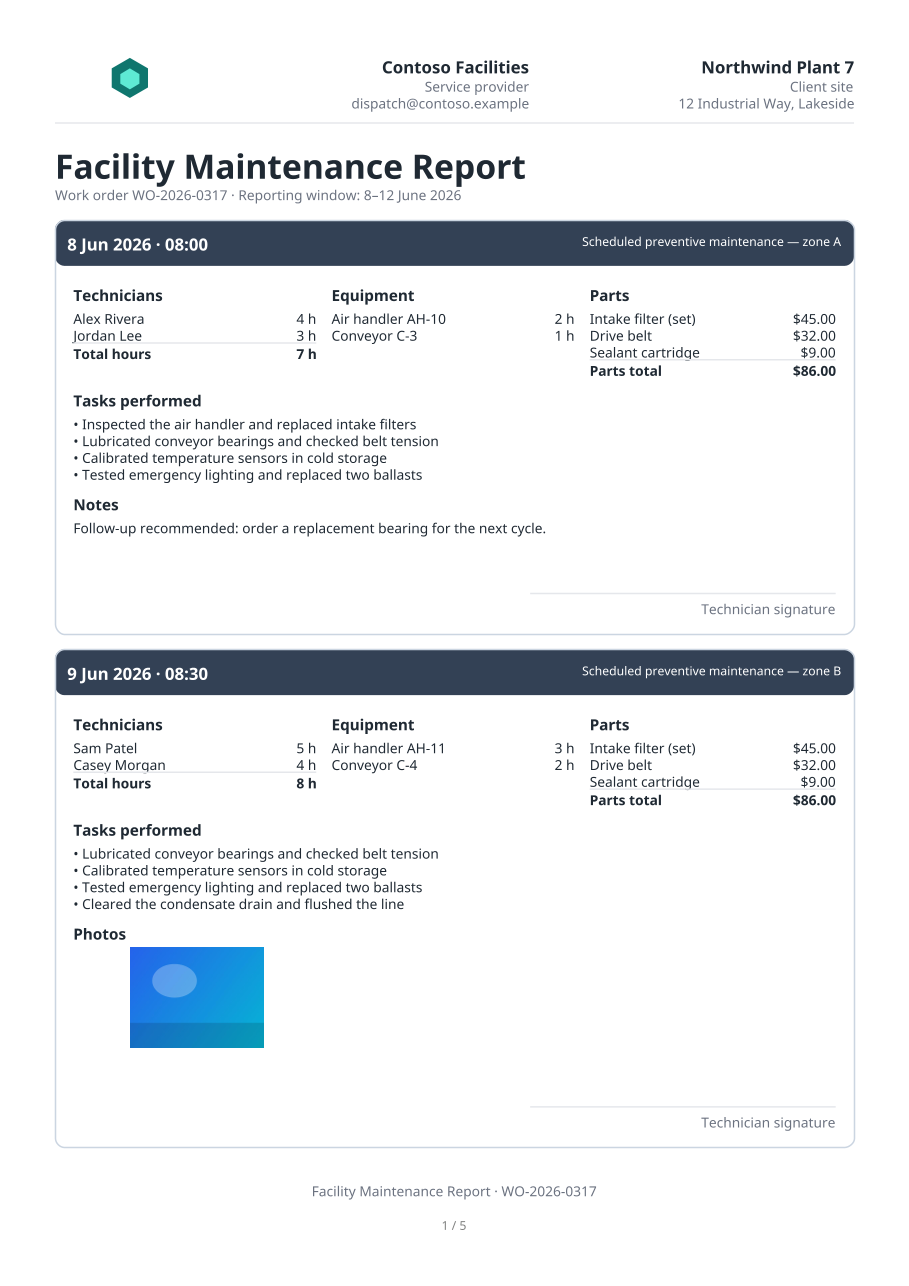
|
Annual report — title + metric cards, 120-row ledger with a repeating header, zebra striping, periodic subtotals and a grand total; 5 pages. code · PDF 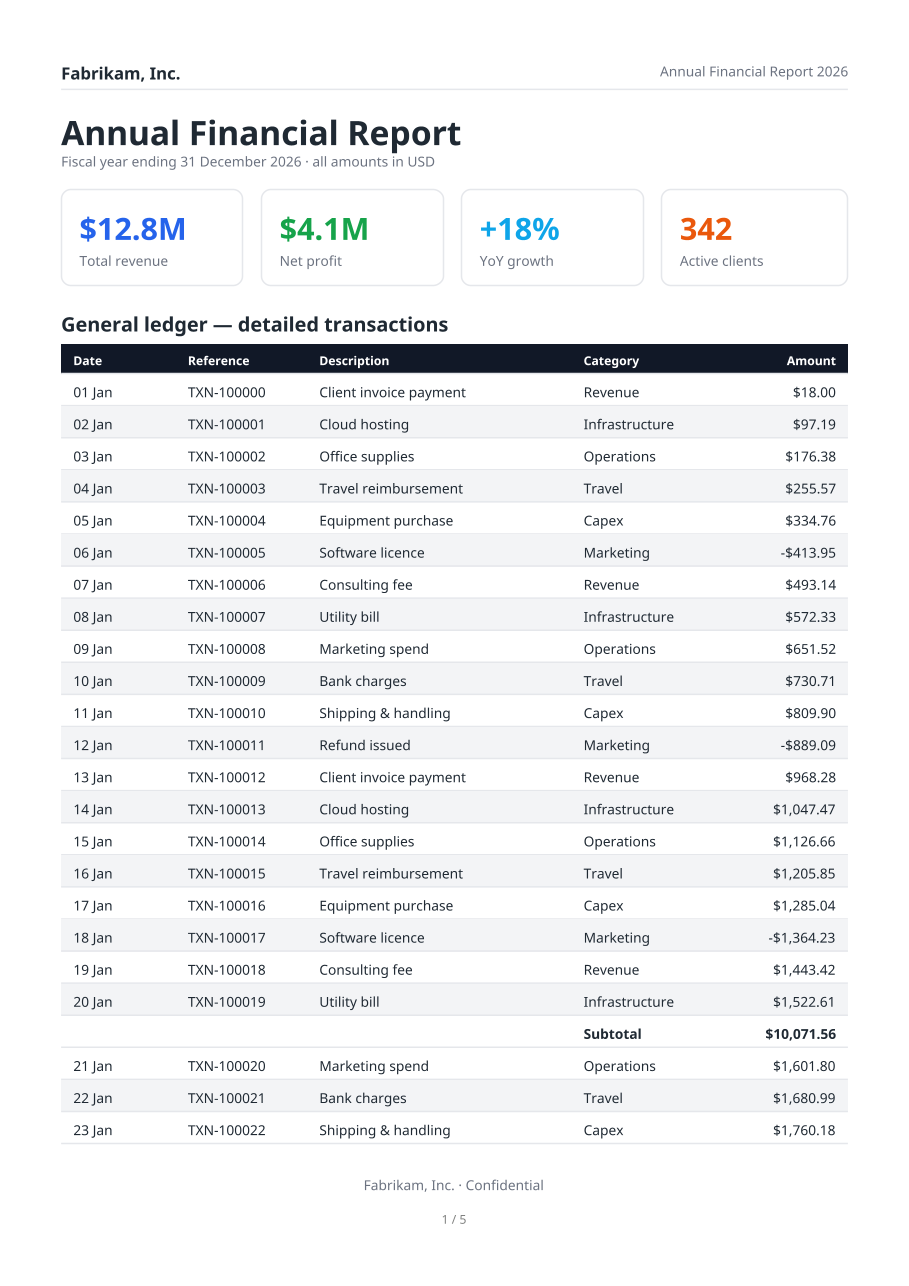
|
|
Product catalogue — SVG brand mark in the header, categorized tables interleaved with photo grids; 3 pages. code · PDF 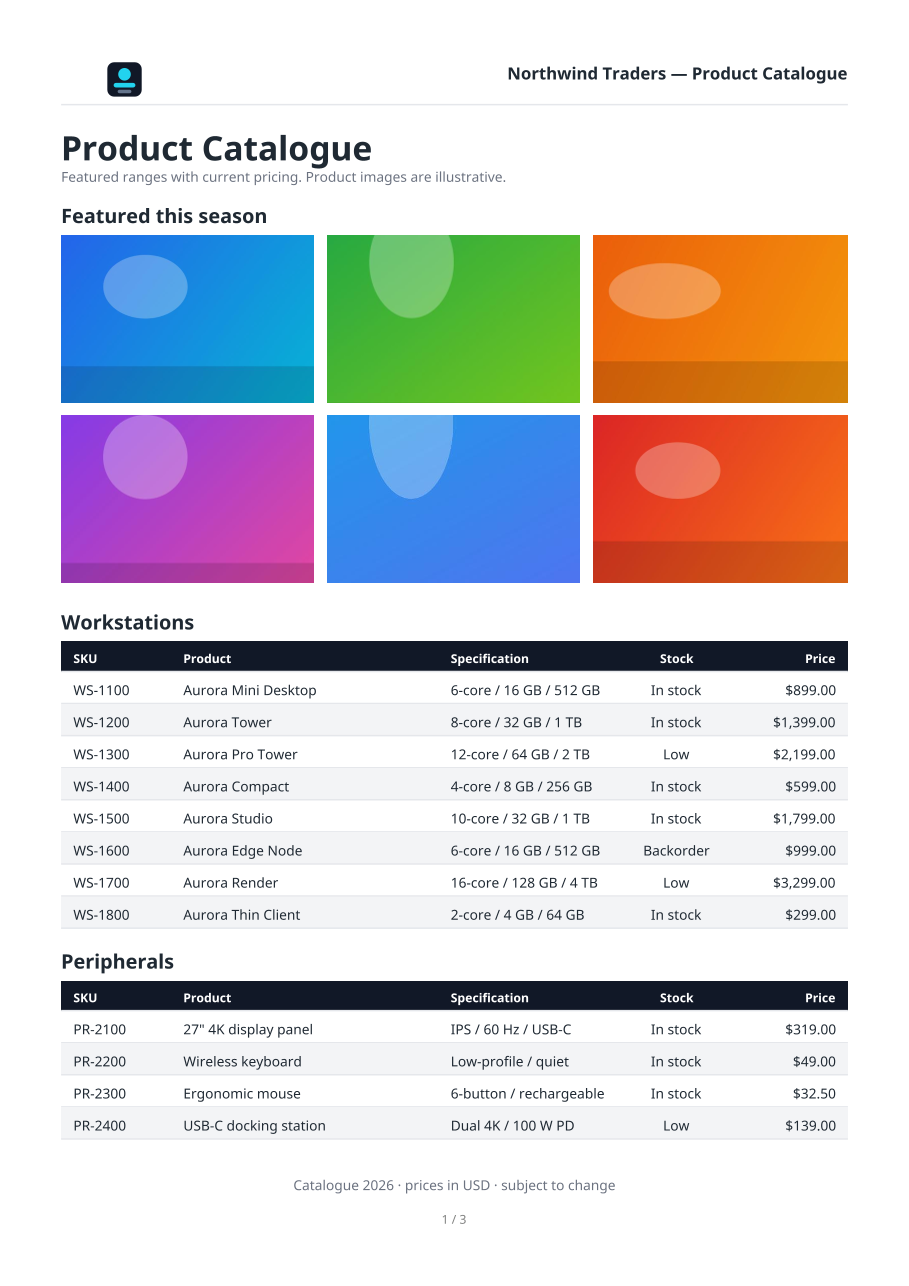
|
Service agreement — 16 numbered sections of wrapped paragraphs (keep-together) + a signatures block; 6 pages. code · PDF 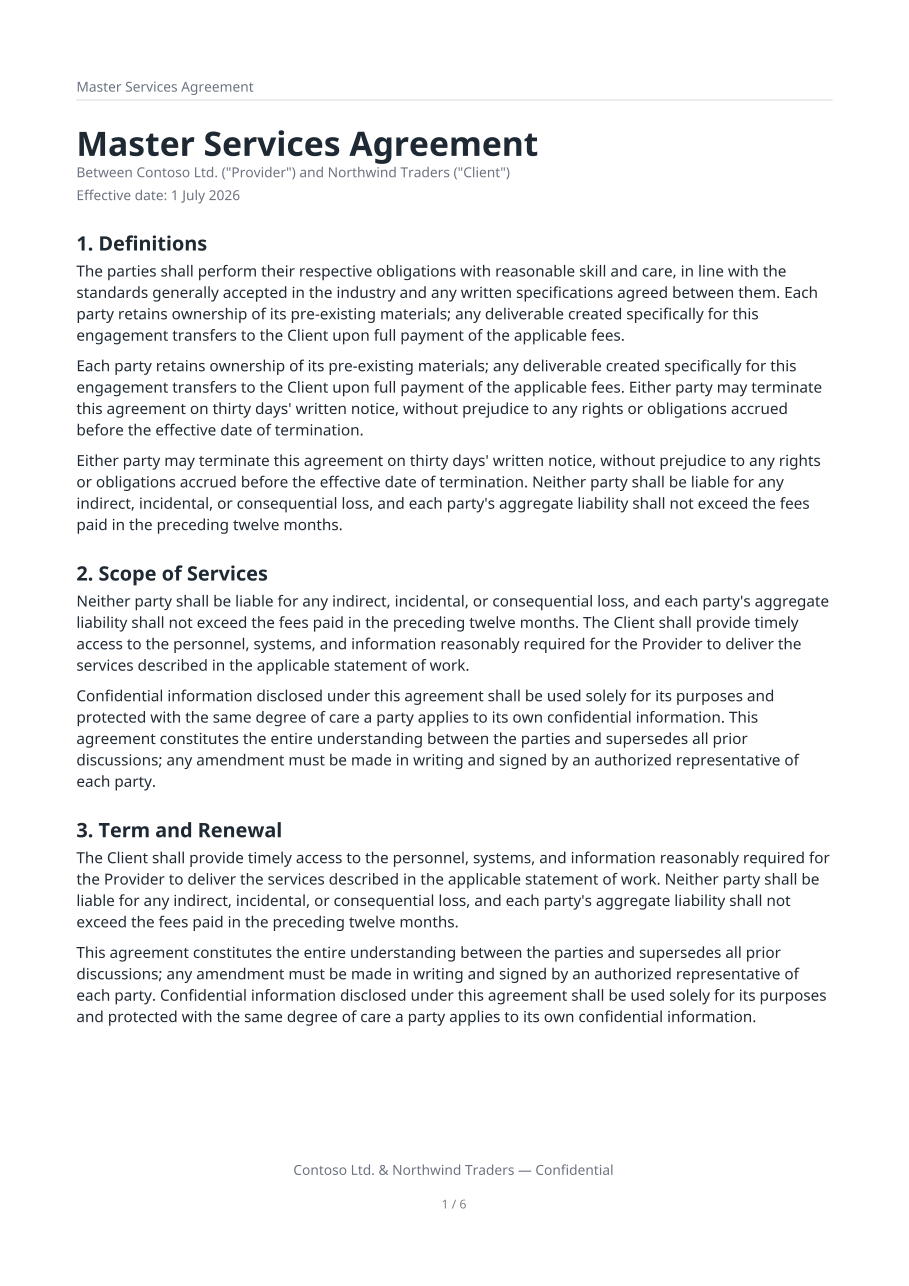
|
|
Invoice — weighted header columns, line-item table, stacked totals. code · PDF 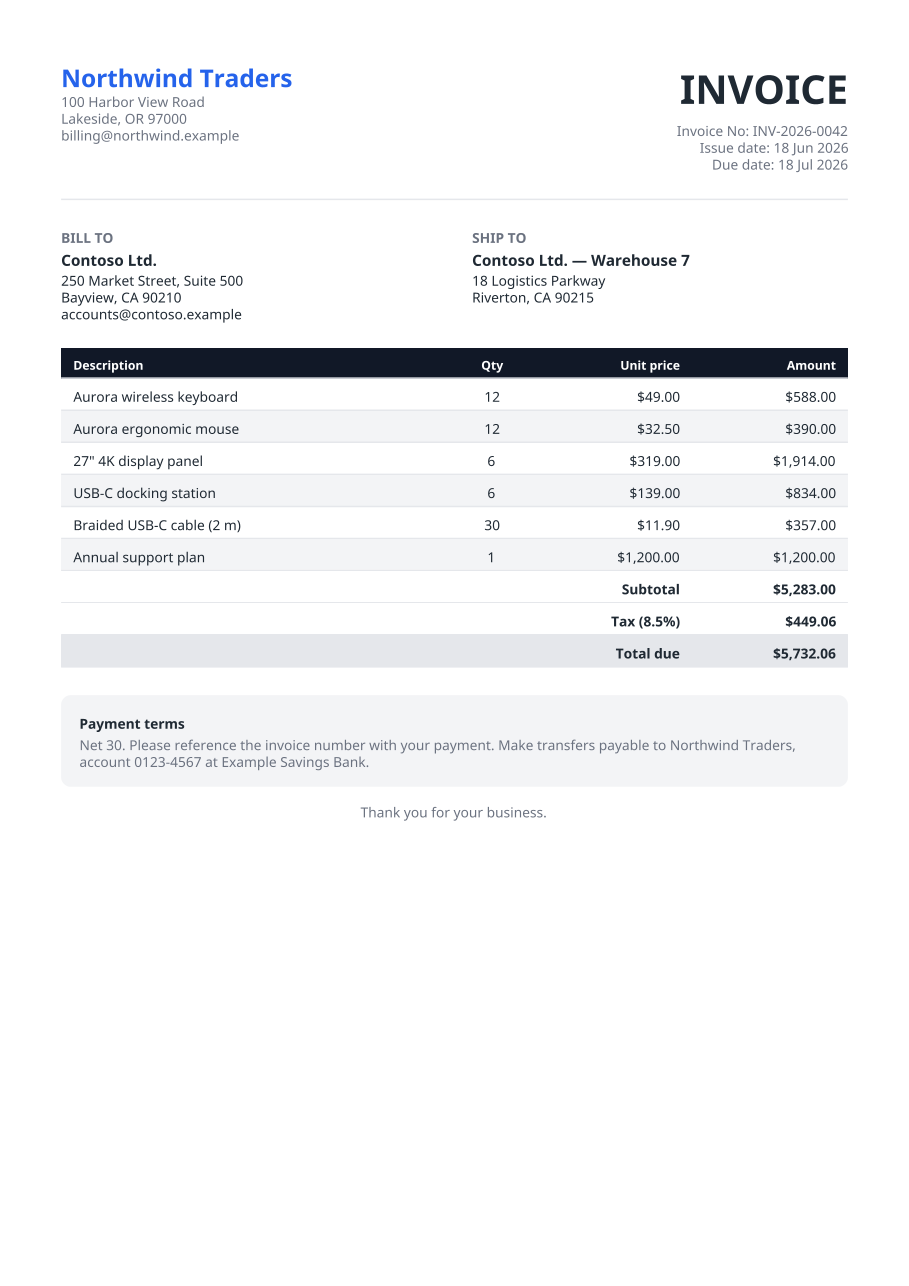
|
Business letter — letterhead and automatically wrapped body paragraphs. code · PDF 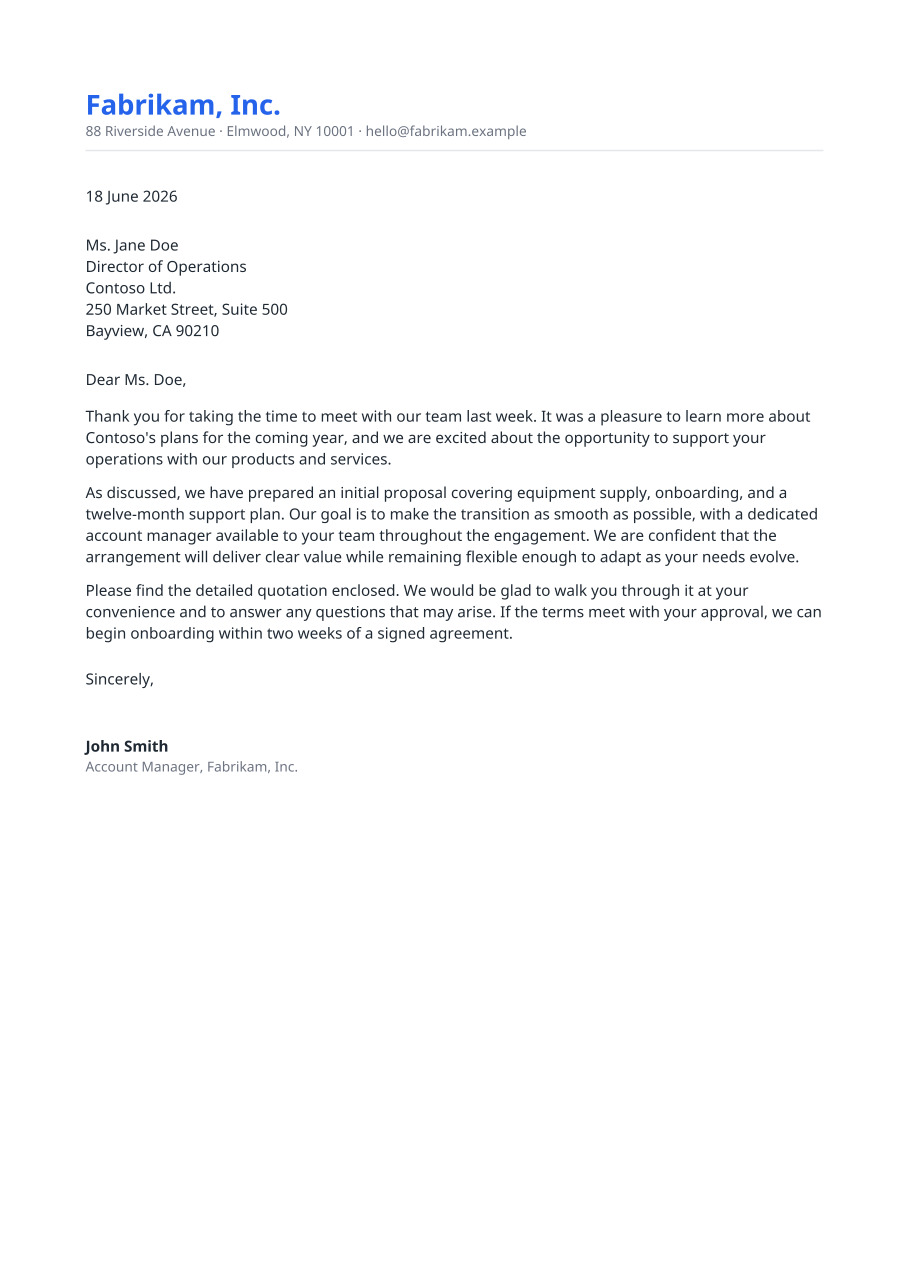
|
|
Price list — repeating header band, multiple categorized tables. code · PDF 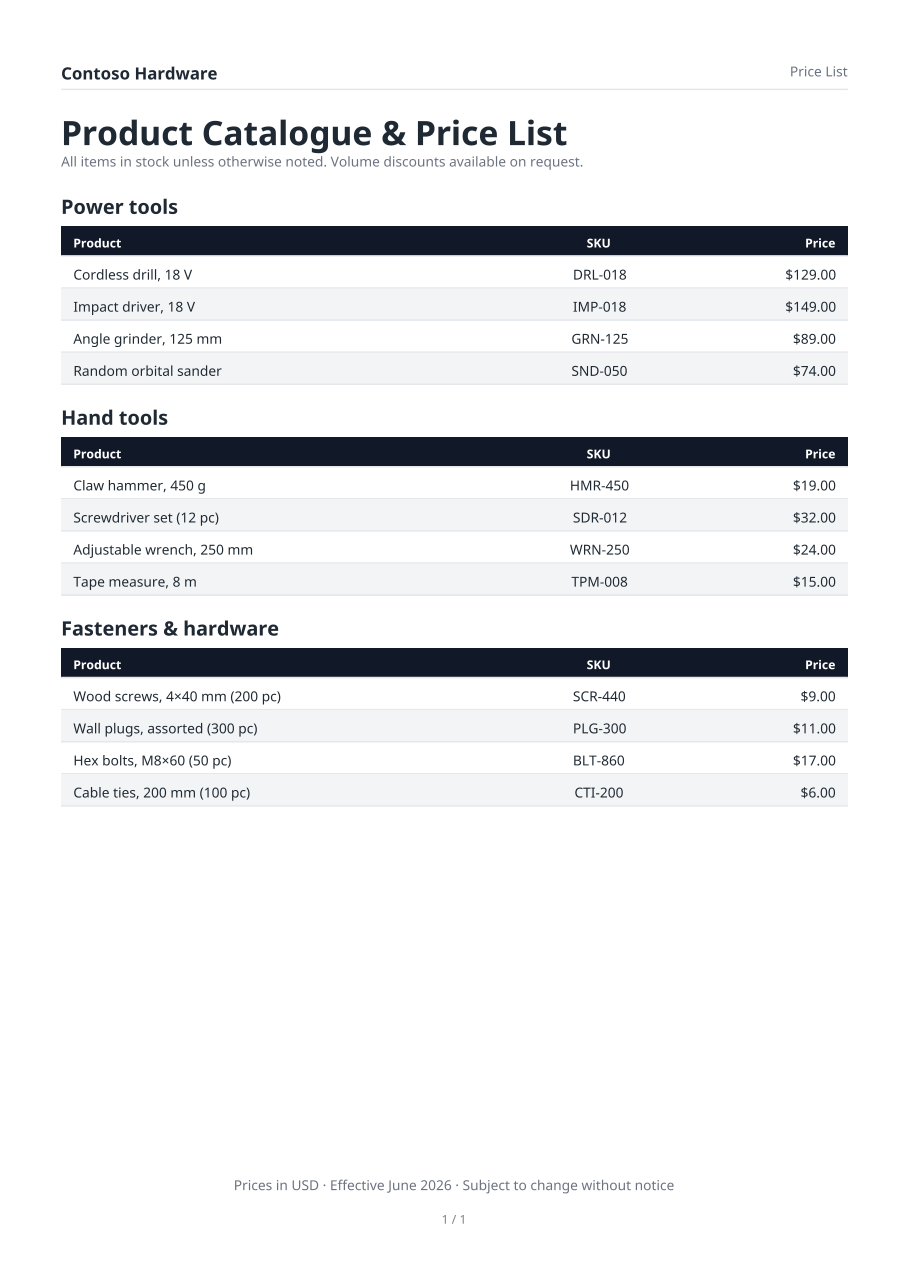
|
Status report — summary box, metric cards, milestones table. code · PDF 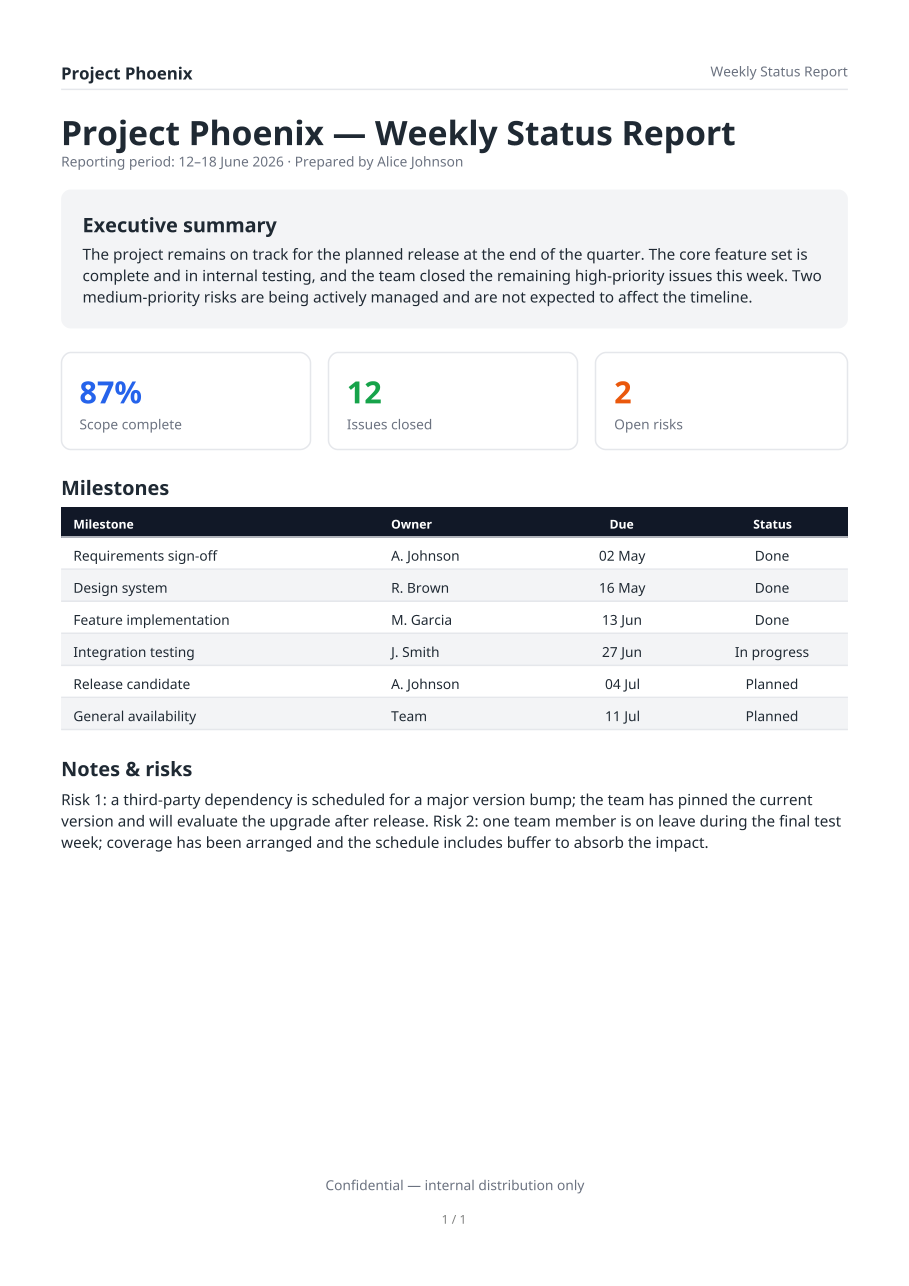
|
|
Transaction ledger — 90 rows over 3 pages, repeating table header + page numbers. code · PDF 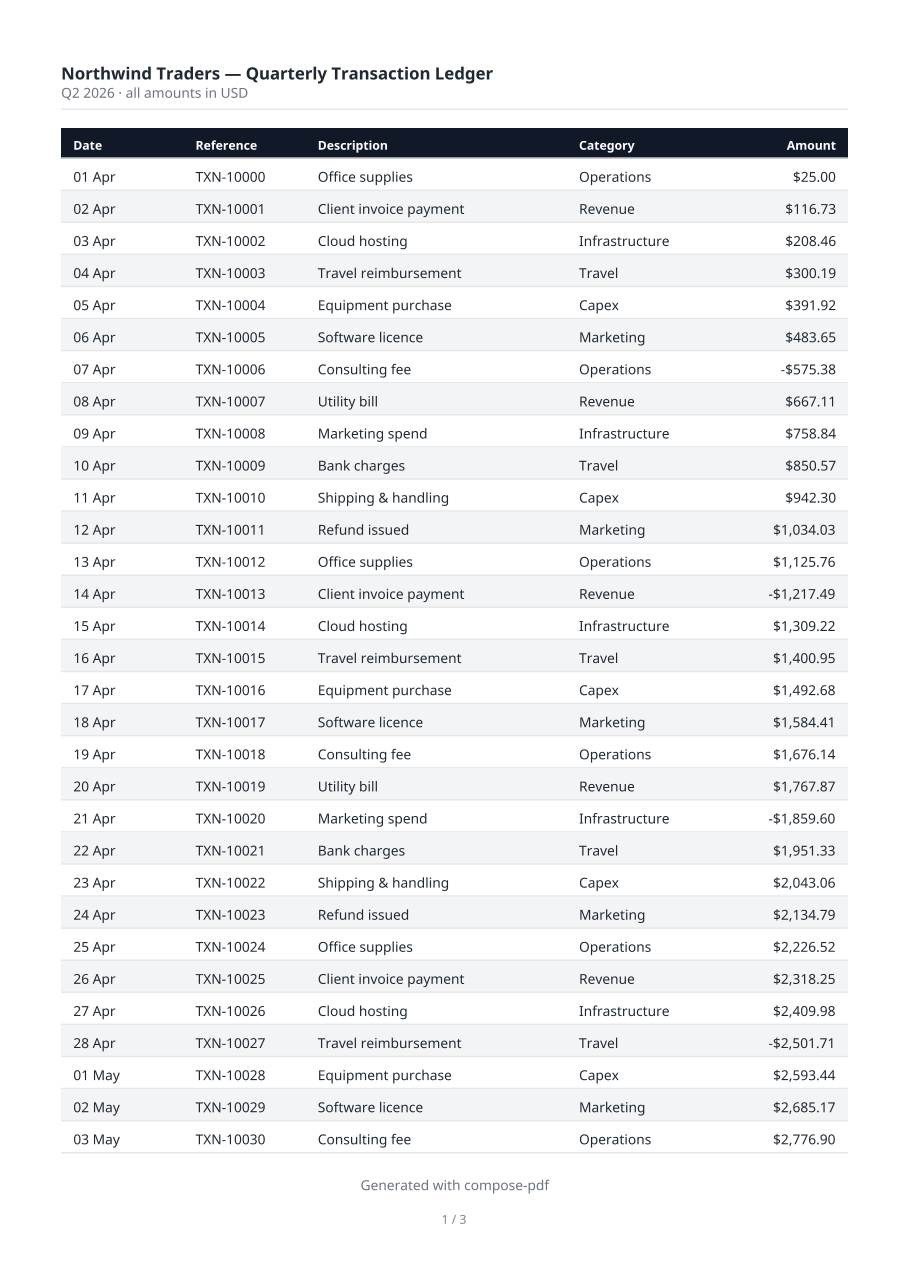
|
Photo gallery — mixed aspect ratios laid out with PhotoFit.Smart / Contain.code · PDF 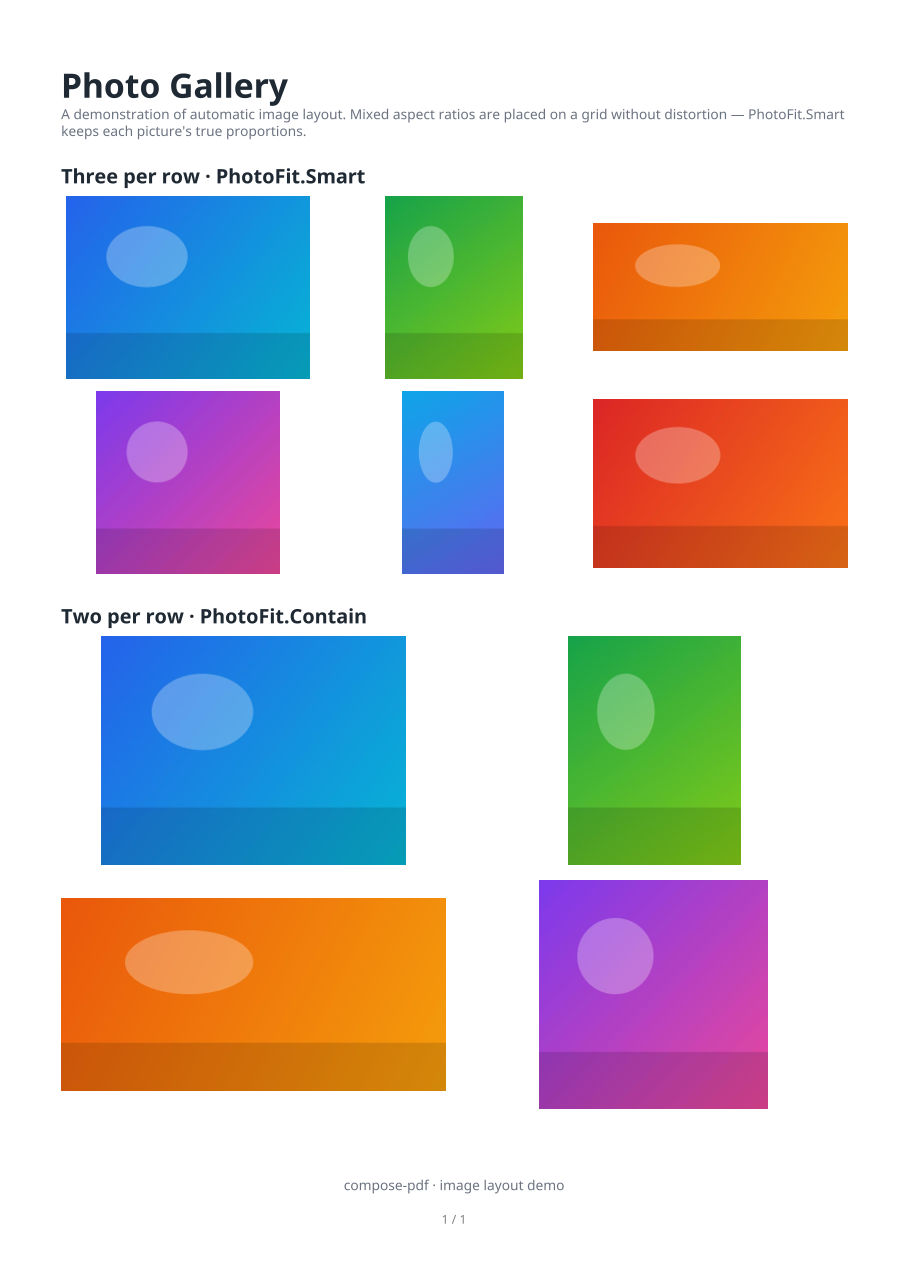
|
|
Résumé — weighted two-column CV, section headings, a skills table; 1 page. code · PDF 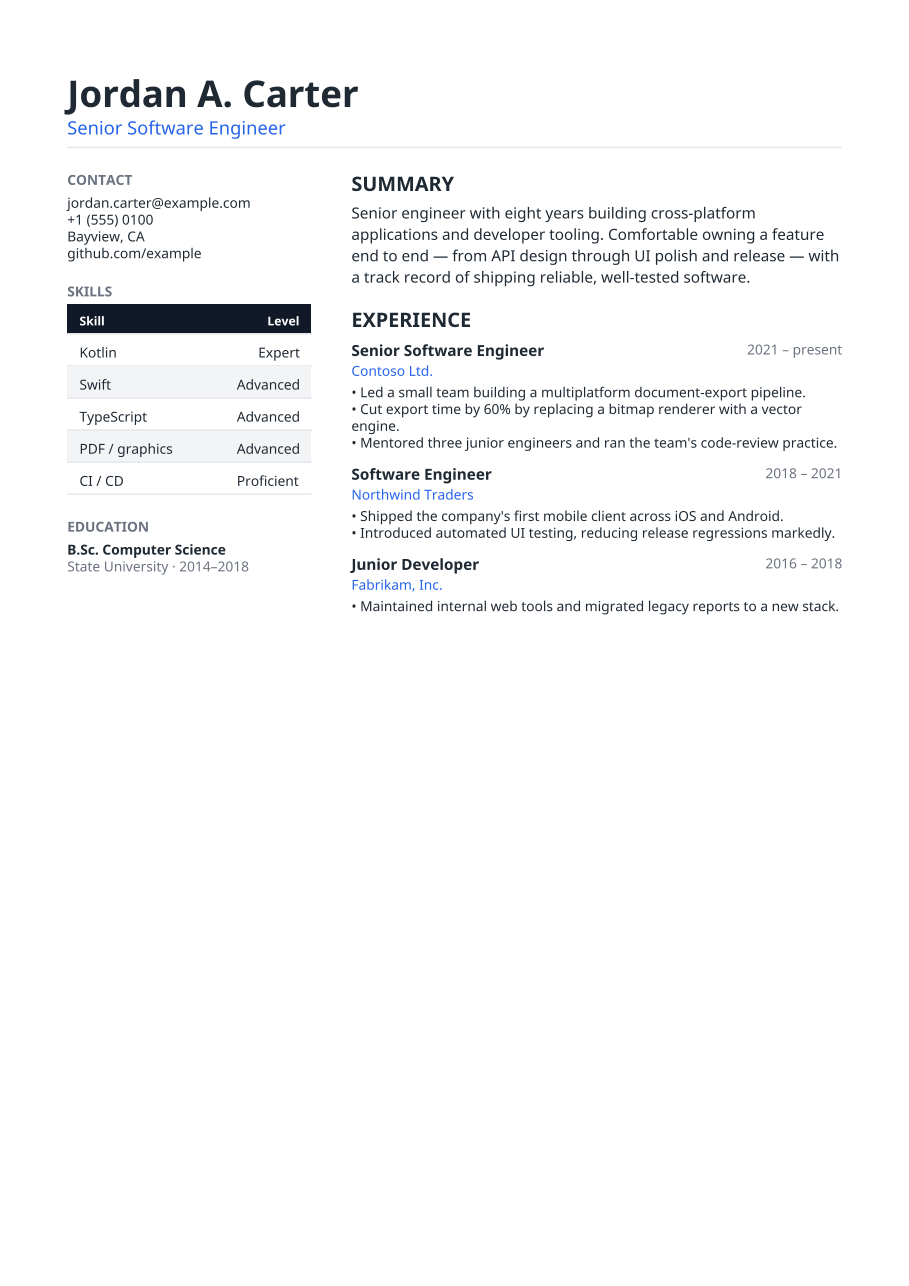
|
Event program — header band + agenda schedule tables; 1 page. code · PDF 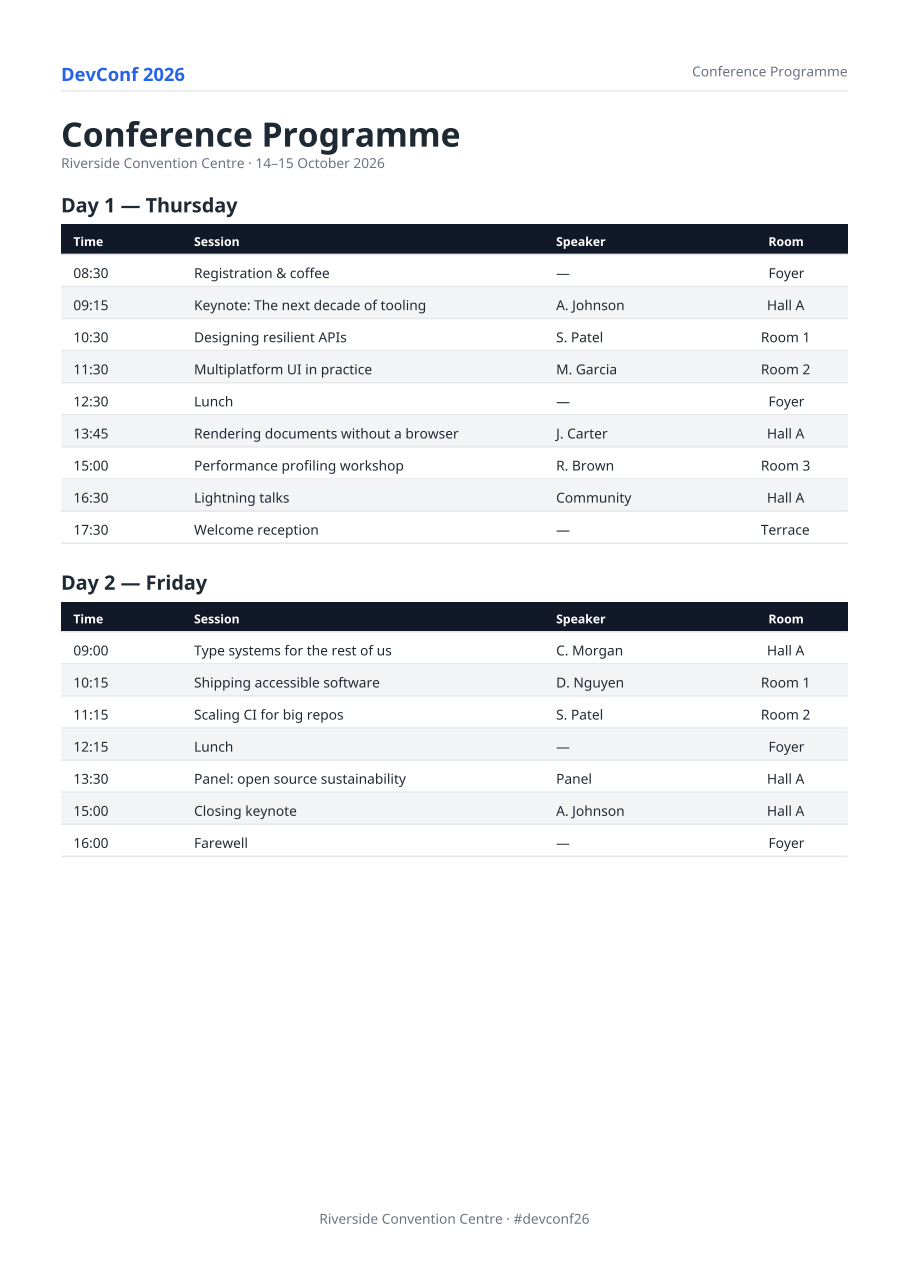
|
The optional compose-pdf-preview artifact renders a pdfDocument { … } spec onto a Compose
Canvas, reusing the engine's computed layout — so you see your document in the IDE preview
pane as you edit the builder, with no app run and no export. It's a design-time tool (like a
@Preview of a screen), not an in-app "view instead of download" button.
// in androidMain — Android Studio renders androidMain @Preview live
@PdfDocumentPreview                            // pick …2Pages / …3Pages … 5Pages for longer reports
@Composable
fun MyReportPreview() = PdfPreview(
    myReport(data),                            // your pdfDocument { … } spec
    previewFontRegular(), previewFontBold(),   // a bundled font, loaded SYNCHRONOUSLY for @Preview
    pageWidth = PreviewPageWidthDp.dp,         // fixed page width → the preview self-sizes to the doc
)@Preview needs heightDp as a
compile-time constant, so a tall multi-page document otherwise gets clipped or padded with an empty
strip. The artifact ships @PdfDocumentPreview (1 page) and @PdfDocumentPreview2Pages …
@PdfDocumentPreview5Pages with the exact size baked in for a PreviewPageWidthDp (360 dp) page —
put the one matching your report's page count on the @Composable and pass
pageWidth = PreviewPageWidthDp.dp, and the pane shows every page in full (nothing clipped, no empty
strip). A plain @Preview works too if you size it yourself.previewFontRegular() / previewFontBold() load a bundled Noto Sans synchronously — the async
Compose-resources API does not work in the IDE preview runtime. (For the real export, pass your own
.ttf to render(); the core stays font-agnostic and bundles no font.)ExamplePreviews.kt): open it in the IDE and the pane
renders the sample documents immediately.render(), so page count, line breaks, tables, boxes,
images and vectors land where the PDF puts them. Each glyph is drawn at the engine's exact x, so
columns and alignment match the PDF; only the glyph shapes come from the platform font (a faithful
approximation — the PDF stays the source of truth).PdfDocumentSpec.previewPages(regular, bold) in the core returns
the resolved per-page draw model if you want to paint it on a different surface.Fonts are supplied by your application, not bundled in the library. render takes the Regular
and Bold face bytes; the engine subsets and embeds only the glyphs a document uses. This keeps the
library font-agnostic and dependency-free, and gives identical output on every platform — the app
reads its own .ttf (via Compose Resources, Android assets, a file, the network, …) and passes the
bytes in.
A typical app keeps one default face and optionally lets the user pick another for export:
val regular: ByteArray = loadFont(selectedFont ?: defaultFont)        // your resource mechanism
val bold: ByteArray = loadFont((selectedFont ?: defaultFont).bold)
val pdf = document.render(regular, bold)
Any TrueType font works. For Latin diacritics (e.g. Czech/Slovak/Polish) pick a face that covers Latin Extended-A/B, such as Noto Sans or DejaVu Sans.
Pass an optional color-emoji font as a third argument and code points your text faces can't
render are drawn inline as real color bitmaps (the "phone" emoji look) instead of .notdef boxes:
val emoji: ByteArray = loadFont("NotoColorEmoji.ttf")   // an sbix or CBDT/CBLC color font
val pdf = document.render(regular, bold, emoji)sbix (Apple Color Emoji) and Google CBLC/CBDT (the
classic large NotoColorEmoji.ttf) — each glyph carries a PNG, embedded as a normal image XObject.COLR/CPAL, e.g. Segoe UI Emoji and Noto's newer COLRv1
build) — they need an outline rasterizer; such code points fall back to the text .notdef.@Preview bridge renders emoji code points as
text (.notdef), not color bitmaps — the color emoji live in the exported PDF only.Two things scale with a photo report: the photos you hold, and the finished PDF. Drop both and the
document size stops mattering — PdfImageSource for the photos, renderTo for the file.
val document = pdfDocument {
    // Photos addressed by file. Nothing is read until the engine needs it.
    photoGrid(paths.map { path -> PdfImageSource { File(path).readBytes() } }, perRow = 3, cellHeight = 96.dp)
}

FileOutputStream(target).buffered().use { out ->
    document.renderTo({ bytes, offset, length -> out.write(bytes, offset, length) }, regular, bold)
}
PdfImageSource is a fun interface with a single readBytes() — a file, a content-provider
stream, a cache entry. image(source, …) and photoGrid(sources, …) are the primary forms;
image(bytes, …) / photoGrid(listOfByteArrays, …) are convenience overloads that wrap the array
in a source that returns it. There is one image path, not a separate "streaming mode".
A JPEG is read once when the DSL records it — just to read its /DCTDecode dimensions and
size — then dropped, and pulled back one photo at a time while the file is written. A PNG
is decoded eagerly and kept: its /Length is the deflated size, which is only knowable by
compressing it, and that length is written before the payload. PNGs are logos, not photo streams.
readBytes() must return the same bytes every time: /Length and every later cross-reference
offset come from the first measurement. A changed length aborts the render with a message naming
the source rather than emitting a corrupt xref.
PdfSink is a fun interface with a single write(bytes, offset, length) — adapt it to any
destination (a FileOutputStream, an NSFileHandle, a digest). The engine writes strictly
sequentially, never seeks, and calls write from the single thread renderTo runs on.
Output is byte-for-byte identical across all four combinations — eager or lazy, render() or
renderTo(). Only the memory profile changes:
| photos supplied as |
render() → ByteArray
|
renderTo(sink) |
|---|---|---|
ByteArray |
your photos + the whole file | your photos |
PdfImageSource |
one photo + the whole file | one photo |
Measured (MemoryStressTest, synthetic 444 KB photos, forked JVM): an 870-photo, 397 MB report
streams from file-backed sources in a 64 MiB heap, live set 3.5 MiB above baseline — and
doubling the photo count moves that by 1.14×, not 2×.
Emoji, fonts and onProgress work exactly as in render. If the sink throws, the exception
propagates and cleaning up the partial file is the caller's job.
./gradlew :composepdf:jvmTest                          # identity + feature gates (incl. cross-platform golden)
./gradlew :composepdf:compileCommonMainKotlinMetadata  # shared-code purity check
./gradlew :composepdf:compileAndroidMain               # Android target
./gradlew :composepdf:iosSimulatorArm64Test            # runs the golden on iOS (macOS only)

# Opt-in memory harness (minutes, hundreds of MB of temp disk; excluded from `check`/CI):
./gradlew :composepdf:jvmStressTest                                                       # eager ladder, 460m heap
./gradlew :composepdf:jvmStressTest -PstressHeap=128m -PstressTests="*MemoryStressTest.c_*"  # lazy-source ladder
Requires JDK 17+ (CI uses 21). The cross-platform golden test runs the layout engine over a fixed
document with deterministic metrics and asserts identical integer glyph origins on every platform.
Generated test PDFs/PNGs are written under composepdf/build/.
wasmJs target — the engine is dependency-free commonMain, so a browser/Node build is mostly
build configuration; PdfSink/PdfImageSource already fit Web Worker + OPFS streaming. (For web
apps, server-side generation through the existing JVM target is the recommended path — same
builders, byte-identical output.)COLR/CPAL) and ZWJ / skin-tone sequences.A pure-Kotlin Kotlin Multiplatform library that generates vector PDFs whose output is identical across devices, with selectable/searchable text, small files, automatic pagination, authored with a Compose-style DSL. Output does not depend on the device font-scale or the host UI lifecycle.
Coordinates: io.github.rikoappdev:compose-pdf · Targets: Android + iOS + JVM · License: Apache-2.0.
The published artifact bundles no font — you pass your own (see Fonts).
To be identical to the dot and vector/searchable at once, no per-platform text engine may
touch layout, and the PDF must contain real text operators with an embedded font (so it can't be
rasterized — and no public Kotlin Multiplatform PDF backend exists for vector output on iOS). So
all layout, text shaping, glyph positioning, TrueType subsetting and PDF serialization run in
shared commonMain integer math.
"Identical" = every glyph's (x,y) origin and the extracted Unicode match across platforms
(engineered to exact integer equality). Raw file bytes may differ (compression/float) — invisible
to users.
text, spacer, divider, row(verticalAlignment) { cell(weight) { } } (a cell(0f) shrinks to its content's width — pair it with a cell(1f) {} spacer to push a logo / info block to an edge; verticalAlignment centres a short cell against a taller one), column, box(padding, border, background), keyValue(label, value), image / photoGrid (JPEG /DCTDecode pass-through and PNG — decoded in pure Kotlin to a /FlateDecode image with an /SMask for transparency; PhotoFit.Cover / Contain / Smart — smart preserves aspect but crops extreme strips; align = HorizontalAlignment.Start left-aligns a contained logo in a wide cell; both take a PdfImageSource instead of bytes to keep photo-heavy documents bounded), table (weighted columns, repeating header, total rows, optional zebra striping).vector(bytes, …) imports both formats (auto-detected) into native, resolution-independent PDF vector paths — the full SVG/VectorDrawable path grammar (incl. elliptical arcs), basic shapes (rect/circle/ellipse/line/poly…), <group>/transform, nonzero & even-odd fill, stroke, per-element opacity, currentColor and the full CSS named-color set. Embedded as a reusable Form XObject, so a logo repeated in a header costs a single object. align (like image) left/center/right-aligns the logo inside its cell. Pure-Kotlin, dependency-free (no XML library).header/footer bands and an auto page-number line whose space is reserved (content never overlaps it). PageConfig controls it all — repeatHeader (every page vs. first page only, like a title block), pageNumberFormat, pageNumberStyle, pageNumbers.TextStyle (with copy), PdfColor/Color(0xFF…), Dp/.dp, Sp/.sp, FontWeight, TextAlign.render(regular, bold, emoji)) and emoji render as inline color bitmaps from sbix / CBLC+CBDT faces (the "phone" look) — see Color emoji. Opt-in; omit it and output is unchanged.render(regular, bold, onProgress = { … }) calls the optional onProgress: (Float) -> Unit with 0f→1f as pages are laid out and serialized — drive a real determinate progress bar. Omit it and output is byte-for-byte unchanged.image/photoGrid take a PdfImageSource ({ File(path).readBytes() }) so JPEG photos are pulled one at a time and released, and renderTo(sink, regular, bold) writes the byte-for-byte identical PDF straight into a PdfSink instead of returning one array. Neither the photos nor the finished file ever exist whole — a measured 397 MB, 870-photo report streams in a 64 MiB heap, the case that OOMs photo-heavy exports on Android's default heap. image(bytes) stays for logos and small documents.val pdf: ByteArray = pdfDocument(PageConfig(margin = 36.dp)) {
header { row { cell(1f) { text("ACME Inc.", TextStyle(fontSize = 10.sp, fontWeight = FontWeight.Bold)) } }; divider() }
text("Report", TextStyle(fontSize = 18.sp, fontWeight = FontWeight.Bold))
table(columns = listOf(PdfColumn(3f, "Item"), PdfColumn(1f, "Qty", TextAlign.End))) {
row("Item A", "3"); row("Item B", "7"); totalRow("Total", "10")
}
photoGrid(jpegBytesList, perRow = 3, cellHeight = 80.dp)
}.render(regularFontBytes, boldFontBytes)A set of ready-made example documents ships in commonMain under
examples/ExampleDocuments.kt;
GalleryExportTest
renders each one. Regenerate with ./gradlew :composepdf:jvmTest --tests "*GalleryExportTest".
Every entry below links its source code → the exported PDF (the preview image opens the PDF too).
Two of them embed a logo via vector() — the field-service report uses an Android VectorDrawable,
the catalogue an SVG.
Every value in these documents is invented, generic placeholder data — the fictitious Contoso / Northwind / Fabrikam companies and reserved
.exampleaddresses. They exist only to demonstrate the engine (text flow, weighted rows, nested rounded boxes, tables with zebra striping / totals / repeating headers, automatic pagination, page numbers, vector + image layout).
|
Field service report — repeating header (VectorDrawable badge) + footer + page numbers, bordered record cards with 3-column summaries, totals, photo grid & signatures; 5 pages. code · PDF
|
Annual report — title + metric cards, 120-row ledger with a repeating header, zebra striping, periodic subtotals and a grand total; 5 pages. code · PDF
|
|
Product catalogue — SVG brand mark in the header, categorized tables interleaved with photo grids; 3 pages. code · PDF
|
Service agreement — 16 numbered sections of wrapped paragraphs (keep-together) + a signatures block; 6 pages. code · PDF
|
|
Invoice — weighted header columns, line-item table, stacked totals. code · PDF
|
Business letter — letterhead and automatically wrapped body paragraphs. code · PDF
|
|
Price list — repeating header band, multiple categorized tables. code · PDF
|
Status report — summary box, metric cards, milestones table. code · PDF
|
|
Transaction ledger — 90 rows over 3 pages, repeating table header + page numbers. code · PDF
|
Photo gallery — mixed aspect ratios laid out with PhotoFit.Smart / Contain.code · PDF
|
|
Résumé — weighted two-column CV, section headings, a skills table; 1 page. code · PDF
|
Event program — header band + agenda schedule tables; 1 page. code · PDF
|
The optional compose-pdf-preview artifact renders a pdfDocument { … } spec onto a Compose
Canvas, reusing the engine's computed layout — so you see your document in the IDE preview
pane as you edit the builder, with no app run and no export. It's a design-time tool (like a
@Preview of a screen), not an in-app "view instead of download" button.
// in androidMain — Android Studio renders androidMain @Preview live
@PdfDocumentPreview                            // pick …2Pages / …3Pages … 5Pages for longer reports
@Composable
fun MyReportPreview() = PdfPreview(
    myReport(data),                            // your pdfDocument { … } spec
    previewFontRegular(), previewFontBold(),   // a bundled font, loaded SYNCHRONOUSLY for @Preview
    pageWidth = PreviewPageWidthDp.dp,         // fixed page width → the preview self-sizes to the doc
)@Preview needs heightDp as a
compile-time constant, so a tall multi-page document otherwise gets clipped or padded with an empty
strip. The artifact ships @PdfDocumentPreview (1 page) and @PdfDocumentPreview2Pages …
@PdfDocumentPreview5Pages with the exact size baked in for a PreviewPageWidthDp (360 dp) page —
put the one matching your report's page count on the @Composable and pass
pageWidth = PreviewPageWidthDp.dp, and the pane shows every page in full (nothing clipped, no empty
strip). A plain @Preview works too if you size it yourself.previewFontRegular() / previewFontBold() load a bundled Noto Sans synchronously — the async
Compose-resources API does not work in the IDE preview runtime. (For the real export, pass your own
.ttf to render(); the core stays font-agnostic and bundles no font.)ExamplePreviews.kt): open it in the IDE and the pane
renders the sample documents immediately.render(), so page count, line breaks, tables, boxes,
images and vectors land where the PDF puts them. Each glyph is drawn at the engine's exact x, so
columns and alignment match the PDF; only the glyph shapes come from the platform font (a faithful
approximation — the PDF stays the source of truth).PdfDocumentSpec.previewPages(regular, bold) in the core returns
the resolved per-page draw model if you want to paint it on a different surface.Fonts are supplied by your application, not bundled in the library. render takes the Regular
and Bold face bytes; the engine subsets and embeds only the glyphs a document uses. This keeps the
library font-agnostic and dependency-free, and gives identical output on every platform — the app
reads its own .ttf (via Compose Resources, Android assets, a file, the network, …) and passes the
bytes in.
A typical app keeps one default face and optionally lets the user pick another for export:
val regular: ByteArray = loadFont(selectedFont ?: defaultFont)        // your resource mechanism
val bold: ByteArray = loadFont((selectedFont ?: defaultFont).bold)
val pdf = document.render(regular, bold)
Any TrueType font works. For Latin diacritics (e.g. Czech/Slovak/Polish) pick a face that covers Latin Extended-A/B, such as Noto Sans or DejaVu Sans.
Pass an optional color-emoji font as a third argument and code points your text faces can't
render are drawn inline as real color bitmaps (the "phone" emoji look) instead of .notdef boxes:
val emoji: ByteArray = loadFont("NotoColorEmoji.ttf")   // an sbix or CBDT/CBLC color font
val pdf = document.render(regular, bold, emoji)sbix (Apple Color Emoji) and Google CBLC/CBDT (the
classic large NotoColorEmoji.ttf) — each glyph carries a PNG, embedded as a normal image XObject.COLR/CPAL, e.g. Segoe UI Emoji and Noto's newer COLRv1
build) — they need an outline rasterizer; such code points fall back to the text .notdef.@Preview bridge renders emoji code points as
text (.notdef), not color bitmaps — the color emoji live in the exported PDF only.Two things scale with a photo report: the photos you hold, and the finished PDF. Drop both and the
document size stops mattering — PdfImageSource for the photos, renderTo for the file.
val document = pdfDocument {
    // Photos addressed by file. Nothing is read until the engine needs it.
    photoGrid(paths.map { path -> PdfImageSource { File(path).readBytes() } }, perRow = 3, cellHeight = 96.dp)
}

FileOutputStream(target).buffered().use { out ->
    document.renderTo({ bytes, offset, length -> out.write(bytes, offset, length) }, regular, bold)
}
PdfImageSource is a fun interface with a single readBytes() — a file, a content-provider
stream, a cache entry. image(source, …) and photoGrid(sources, …) are the primary forms;
image(bytes, …) / photoGrid(listOfByteArrays, …) are convenience overloads that wrap the array
in a source that returns it. There is one image path, not a separate "streaming mode".
A JPEG is read once when the DSL records it — just to read its /DCTDecode dimensions and
size — then dropped, and pulled back one photo at a time while the file is written. A PNG
is decoded eagerly and kept: its /Length is the deflated size, which is only knowable by
compressing it, and that length is written before the payload. PNGs are logos, not photo streams.
readBytes() must return the same bytes every time: /Length and every later cross-reference
offset come from the first measurement. A changed length aborts the render with a message naming
the source rather than emitting a corrupt xref.
PdfSink is a fun interface with a single write(bytes, offset, length) — adapt it to any
destination (a FileOutputStream, an NSFileHandle, a digest). The engine writes strictly
sequentially, never seeks, and calls write from the single thread renderTo runs on.
Output is byte-for-byte identical across all four combinations — eager or lazy, render() or
renderTo(). Only the memory profile changes:
| photos supplied as |
render() → ByteArray
|
renderTo(sink) |
|---|---|---|
ByteArray |
your photos + the whole file | your photos |
PdfImageSource |
one photo + the whole file | one photo |
Measured (MemoryStressTest, synthetic 444 KB photos, forked JVM): an 870-photo, 397 MB report
streams from file-backed sources in a 64 MiB heap, live set 3.5 MiB above baseline — and
doubling the photo count moves that by 1.14×, not 2×.
Emoji, fonts and onProgress work exactly as in render. If the sink throws, the exception
propagates and cleaning up the partial file is the caller's job.
./gradlew :composepdf:jvmTest                          # identity + feature gates (incl. cross-platform golden)
./gradlew :composepdf:compileCommonMainKotlinMetadata  # shared-code purity check
./gradlew :composepdf:compileAndroidMain               # Android target
./gradlew :composepdf:iosSimulatorArm64Test            # runs the golden on iOS (macOS only)

# Opt-in memory harness (minutes, hundreds of MB of temp disk; excluded from `check`/CI):
./gradlew :composepdf:jvmStressTest                                                       # eager ladder, 460m heap
./gradlew :composepdf:jvmStressTest -PstressHeap=128m -PstressTests="*MemoryStressTest.c_*"  # lazy-source ladder
Requires JDK 17+ (CI uses 21). The cross-platform golden test runs the layout engine over a fixed
document with deterministic metrics and asserts identical integer glyph origins on every platform.
Generated test PDFs/PNGs are written under composepdf/build/.
wasmJs target — the engine is dependency-free commonMain, so a browser/Node build is mostly
build configuration; PdfSink/PdfImageSource already fit Web Worker + OPFS streaming. (For web
apps, server-side generation through the existing JVM target is the recommended path — same
builders, byte-identical output.)COLR/CPAL) and ZWJ / skin-tone sequences.