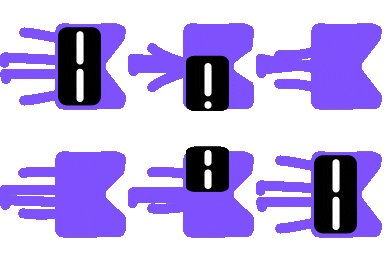
Seven polished UI effects—thinking orbs, border beam, liquid metal, gooey, voice glow, bot avatars, image-mosaic loader—each a single composable with live playground and parity-checked rendering.
Seven polished UI effects for Compose Multiplatform. They run on Android, iOS and desktop from one Kotlin codebase.

▶ Watch the 70-second film on YouTube
[!WARNING] Kraft is experimental. The effects work and the tests pass, but every published version is a
0.xrelease. The API may change between any two versions, including in ways that break your code, until1.0.0comes out. Pin an exact version and read the release notes before you upgrade.
Libraries.dev by Jakub Antalik is a set of good-looking UI effects for the web. It has border beams, thinking orbs, liquid metal buttons and more. I liked them and wanted them in my Compose apps, so I ported them.
Kraft contains two things:
:effects, a Compose Multiplatform library with all seven effects. Each effect is a plain composable that wraps your existing UI. You don't write shaders and there's no extra setup.Most of the work went into matching the originals. The thinking orbs are checked against the web engine's own golden data, down to the position of every dot. The other effects render the same scenes as upstream's parity harness, so you can put them next to the browser captures and compare them directly.
This project was vibe coded with Claude Opus 5.5. I wanted to see how far the model could get on something hard and visual, where you can't fake the result.
In practice, I described what I wanted, ran the app, compared it with the web version, and pushed back when something looked off. Claude wrote nearly all of the code, including:
I'm publishing it as both a usable library and a record of the experiment. The code is real and the tests pass. Still, treat it like any code you didn't write yourself and read it before you ship it.
 Thinking orbs. Nine animated loading states for an AI at work: Working, Searching, Solving, Listening and more. |
 Border beam. A soft glow that travels around the border of anything in progress. |
 Liquid metal. Chrome buttons, badges and text that bend under your finger and reflect their neighbours. |
 Gooey. Surfaces that split, merge and stretch like liquid. Good for menus that pop out of a button. |
 Voice glow. A glow that rises with your voice. It can use the real microphone or any audio level you give it. |
 Bot avatars. 18 characters that blink, look around, sleep and get to work. |
 Image generation. A pixel-mosaic loader that turns into the finished image. |
 One composable away. Every effect is a single composable, and the same code runs on Android, iOS and desktop. |
The app is a Compose port of the Libraries.dev site. These screenshots come straight from the app through the headless screenshot test, with the animation paused.


Each effect wraps the UI you already have:
import com.burkido.kraft.effects.beam.BorderBeam
import com.burkido.kraft.effects.orbs.ThinkingOrb
import com.burkido.kraft.effects.orbs.OrbState
import com.burkido.kraft.effects.avatars.BotAvatar
import com.burkido.kraft.effects.avatars.BotAvatarType
import com.burkido.kraft.effects.metal.MetalFx

// A glowing border around a text field while the agent works
BorderBeam(active = isWorking) {
    PromptField()
}

// A thinking indicator
ThinkingOrb(state = OrbState.Searching)

// An animated face for your assistant
BotAvatar(type = BotAvatarType.Ghost, size = 48.dp)

// A liquid-metal send button
MetalFx {
    SendButton()
}
Every effect has more options for colour variants, themes, speed, strength and so on. The quickest way to explore them is to run the app, open an effect's page and play with the Playground. It prints the exact code for the configuration you pick.
Effects respect the system's reduced-motion setting and pause when they're off screen.
Kraft is on Maven Central as an experimental 0.x release. Add it to your shared module's commonMain dependencies, with <version> replaced by the latest version from the badge above:
kotlin {
    sourceSets {
        commonMain.dependencies {
            implementation("io.github.burkido:kraft:<version>")
        }
    }
}
Gradle picks the right artifact for each target (Android, iOS arm64, iOS simulator arm64, desktop JVM). In an Android-only project, the same line goes in your regular dependencies block.
About the version. 0.x means there are no API stability guarantees yet. A release with only bug fixes bumps the last number (0.1.1). Anything else, including new effects and API changes, bumps the middle one (0.2.0). 1.0.0 will mark the point where the API settles. Pin the exact version rather than using a range or +.
You can also use the library as a source module: copy the effects/ folder into your project, add include(":effects") to settings.gradle.kts, and depend on project(":effects"). The module uses the Kotlin serialization plugin and Compose resources, so your version catalog needs the same plugins as the one in gradle/libs.versions.toml.
Kraft runs on Android 6.0 (API 23) and newer, as well as iOS and desktop. Android's GPU blur (RenderEffect) only arrived in Android 12. On older versions the effects build each blur from a chain of offscreen layers that scale down and back up, and the GPU does the filtering. Gooey goes a step further and rebuilds its whole filter chain this way, including the blur, the threshold, the tints and the shadows. You don't need to change anything: the library picks the right path at runtime, and the result looks almost identical.
To check the fallback on a newer device, turn it on before the effects first draw:
KraftBlur.forceFallback = true // com.burkido.kraft.effects.core.KraftBlurYour own UI can use the same blur through Modifier.kraftBlur { sigmaPx }. It works like CSS filter: blur() and falls back the same way.
You'll need:
git clone https://github.com/burkido/Kraft.git
cd Kraft

# Desktop: the fastest way to look around
./gradlew :desktopApp:run

# Open a specific effect page directly
./gradlew :desktopApp:run --args="--library metal"   # beam, orbs, gooey, voice, bots, metal, image

# Desktop with Compose Hot Reload
./gradlew :desktopApp:hotRun

# Android
./gradlew :androidApp:installDebug
To compare the Android 11-and-older blur with the normal one on the same device, launch a page with the fallback forced on and the animation frozen at a fixed time. Then run it again without blurFallback and compare the screenshots:
adb shell am start -n com.burkido.kraft/.MainActivity --es library gooey --ez blurFallback true --ef frozenTime 1.5For iOS, open iosApp/iosApp.xcodeproj in Xcode and run it. If you want to run on a real device, set your TEAM_ID in iosApp/Configuration/Config.xcconfig.
The Voice page's playground asks for microphone access so the glow can follow your voice. The demos above it run on a built-in level, so you can skip the mic and still see everything.
effects/      The library: the seven effects, as a Compose Multiplatform module
shared/       The Kraft app (landing page, effect pages, playgrounds, design system)
androidApp/   Android entry point
iosApp/       iOS entry point (Xcode project)
desktopApp/   Desktop (JVM) entry point
docs/media/   Images used in this README
./gradlew :effects:jvmTest :shared:jvmTestThis runs four kinds of check:
effects/build/parity/ for comparison with the web.ScreenshotRender. Renders every app page headlessly into shared/build/screens/. The screenshots above came from there.
The film isn't a screen recording. A small renderer runs each shot as a Compose scene offscreen, on a virtual clock, one frame at a time, and pipes the frames into ffmpeg. A scripted "hand" provides the touches. The music and sound effects are synthesized in Python without samples, and every run produces identical output.
The generated images and the voice line in the film were made with OpenAI models. The renderer isn't part of this repository.
0.x releases so far, and the API may change between versions.Issues and pull requests are welcome, whether it's a bug, a parity difference, a new platform target or an idea for an effect. For a bigger change, please open an issue first so we can talk it through.
How versions are numbered and released is in docs/RELEASING.md.
liquidMetal shader.See NOTICE for exactly what came from where.
Kraft is released under the MIT License. You can use it in personal and commercial projects, modify it and redistribute it. Third-party parts keep their own licences, which are listed in NOTICE. Their full texts ship with the app in shared/src/commonMain/composeResources/files/licenses/. The published library carries its own copy of the licences and notice that apply to it, in effects/src/commonMain/composeResources/files/licenses/.
Seven polished UI effects for Compose Multiplatform. They run on Android, iOS and desktop from one Kotlin codebase.
▶ Watch the 70-second film on YouTube
[!WARNING] Kraft is experimental. The effects work and the tests pass, but every published version is a
0.xrelease. The API may change between any two versions, including in ways that break your code, until1.0.0comes out. Pin an exact version and read the release notes before you upgrade.
Libraries.dev by Jakub Antalik is a set of good-looking UI effects for the web. It has border beams, thinking orbs, liquid metal buttons and more. I liked them and wanted them in my Compose apps, so I ported them.
Kraft contains two things:
:effects, a Compose Multiplatform library with all seven effects. Each effect is a plain composable that wraps your existing UI. You don't write shaders and there's no extra setup.Most of the work went into matching the originals. The thinking orbs are checked against the web engine's own golden data, down to the position of every dot. The other effects render the same scenes as upstream's parity harness, so you can put them next to the browser captures and compare them directly.
This project was vibe coded with Claude Opus 5.5. I wanted to see how far the model could get on something hard and visual, where you can't fake the result.
In practice, I described what I wanted, ran the app, compared it with the web version, and pushed back when something looked off. Claude wrote nearly all of the code, including:
I'm publishing it as both a usable library and a record of the experiment. The code is real and the tests pass. Still, treat it like any code you didn't write yourself and read it before you ship it.
|
Thinking orbs. Nine animated loading states for an AI at work: Working, Searching, Solving, Listening and more. |
Border beam. A soft glow that travels around the border of anything in progress. |
|
Liquid metal. Chrome buttons, badges and text that bend under your finger and reflect their neighbours. |
Gooey. Surfaces that split, merge and stretch like liquid. Good for menus that pop out of a button. |
|
Voice glow. A glow that rises with your voice. It can use the real microphone or any audio level you give it. |
Bot avatars. 18 characters that blink, look around, sleep and get to work. |
|
Image generation. A pixel-mosaic loader that turns into the finished image. |
One composable away. Every effect is a single composable, and the same code runs on Android, iOS and desktop. |
The app is a Compose port of the Libraries.dev site. These screenshots come straight from the app through the headless screenshot test, with the animation paused.
Each effect wraps the UI you already have:
import com.burkido.kraft.effects.beam.BorderBeam
import com.burkido.kraft.effects.orbs.ThinkingOrb
import com.burkido.kraft.effects.orbs.OrbState
import com.burkido.kraft.effects.avatars.BotAvatar
import com.burkido.kraft.effects.avatars.BotAvatarType
import com.burkido.kraft.effects.metal.MetalFx

// A glowing border around a text field while the agent works
BorderBeam(active = isWorking) {
    PromptField()
}

// A thinking indicator
ThinkingOrb(state = OrbState.Searching)

// An animated face for your assistant
BotAvatar(type = BotAvatarType.Ghost, size = 48.dp)

// A liquid-metal send button
MetalFx {
    SendButton()
}
Every effect has more options for colour variants, themes, speed, strength and so on. The quickest way to explore them is to run the app, open an effect's page and play with the Playground. It prints the exact code for the configuration you pick.
Effects respect the system's reduced-motion setting and pause when they're off screen.
Kraft is on Maven Central as an experimental 0.x release. Add it to your shared module's commonMain dependencies, with <version> replaced by the latest version from the badge above:
kotlin {
    sourceSets {
        commonMain.dependencies {
            implementation("io.github.burkido:kraft:<version>")
        }
    }
}
Gradle picks the right artifact for each target (Android, iOS arm64, iOS simulator arm64, desktop JVM). In an Android-only project, the same line goes in your regular dependencies block.
About the version. 0.x means there are no API stability guarantees yet. A release with only bug fixes bumps the last number (0.1.1). Anything else, including new effects and API changes, bumps the middle one (0.2.0). 1.0.0 will mark the point where the API settles. Pin the exact version rather than using a range or +.
You can also use the library as a source module: copy the effects/ folder into your project, add include(":effects") to settings.gradle.kts, and depend on project(":effects"). The module uses the Kotlin serialization plugin and Compose resources, so your version catalog needs the same plugins as the one in gradle/libs.versions.toml.
Kraft runs on Android 6.0 (API 23) and newer, as well as iOS and desktop. Android's GPU blur (RenderEffect) only arrived in Android 12. On older versions the effects build each blur from a chain of offscreen layers that scale down and back up, and the GPU does the filtering. Gooey goes a step further and rebuilds its whole filter chain this way, including the blur, the threshold, the tints and the shadows. You don't need to change anything: the library picks the right path at runtime, and the result looks almost identical.
To check the fallback on a newer device, turn it on before the effects first draw:
KraftBlur.forceFallback = true // com.burkido.kraft.effects.core.KraftBlurYour own UI can use the same blur through Modifier.kraftBlur { sigmaPx }. It works like CSS filter: blur() and falls back the same way.
You'll need:
git clone https://github.com/burkido/Kraft.git
cd Kraft

# Desktop: the fastest way to look around
./gradlew :desktopApp:run

# Open a specific effect page directly
./gradlew :desktopApp:run --args="--library metal"   # beam, orbs, gooey, voice, bots, metal, image

# Desktop with Compose Hot Reload
./gradlew :desktopApp:hotRun

# Android
./gradlew :androidApp:installDebug
To compare the Android 11-and-older blur with the normal one on the same device, launch a page with the fallback forced on and the animation frozen at a fixed time. Then run it again without blurFallback and compare the screenshots:
adb shell am start -n com.burkido.kraft/.MainActivity --es library gooey --ez blurFallback true --ef frozenTime 1.5For iOS, open iosApp/iosApp.xcodeproj in Xcode and run it. If you want to run on a real device, set your TEAM_ID in iosApp/Configuration/Config.xcconfig.
The Voice page's playground asks for microphone access so the glow can follow your voice. The demos above it run on a built-in level, so you can skip the mic and still see everything.
effects/      The library: the seven effects, as a Compose Multiplatform module
shared/       The Kraft app (landing page, effect pages, playgrounds, design system)
androidApp/   Android entry point
iosApp/       iOS entry point (Xcode project)
desktopApp/   Desktop (JVM) entry point
docs/media/   Images used in this README
./gradlew :effects:jvmTest :shared:jvmTestThis runs four kinds of check:
effects/build/parity/ for comparison with the web.ScreenshotRender. Renders every app page headlessly into shared/build/screens/. The screenshots above came from there.
The film isn't a screen recording. A small renderer runs each shot as a Compose scene offscreen, on a virtual clock, one frame at a time, and pipes the frames into ffmpeg. A scripted "hand" provides the touches. The music and sound effects are synthesized in Python without samples, and every run produces identical output.
The generated images and the voice line in the film were made with OpenAI models. The renderer isn't part of this repository.
0.x releases so far, and the API may change between versions.Issues and pull requests are welcome, whether it's a bug, a parity difference, a new platform target or an idea for an effect. For a bigger change, please open an issue first so we can talk it through.
How versions are numbered and released is in docs/RELEASING.md.
liquidMetal shader.See NOTICE for exactly what came from where.
Kraft is released under the MIT License. You can use it in personal and commercial projects, modify it and redistribute it. Third-party parts keep their own licences, which are listed in NOTICE. Their full texts ship with the app in shared/src/commonMain/composeResources/files/licenses/. The published library carries its own copy of the licences and notice that apply to it, in effects/src/commonMain/composeResources/files/licenses/.
